· Giraffe
Shopify Flow automations for Singapore stores

Small Singapore teams spend hours on repeat jobs: tagging big spenders, checking risky orders, chasing low stock before a 11.11 sale. Shopify Flow handles many of these for free. This guide explains how it works and five workflows worth setting up first.
What Shopify Flow is
Flow is Shopify's automation app. According to the Shopify Help Center and Shopify.dev, it is free on the Basic, Grow, Advanced and Plus plans. Most features work on every plan, but:
- The Send HTTP Request action needs Grow, Advanced or Plus.
- Tasks from custom partner apps need Plus.
- Usage limits follow each plan's API limits.
Install it from the Shopify App Store, then open it from Apps in your admin.
Triggers, conditions and actions
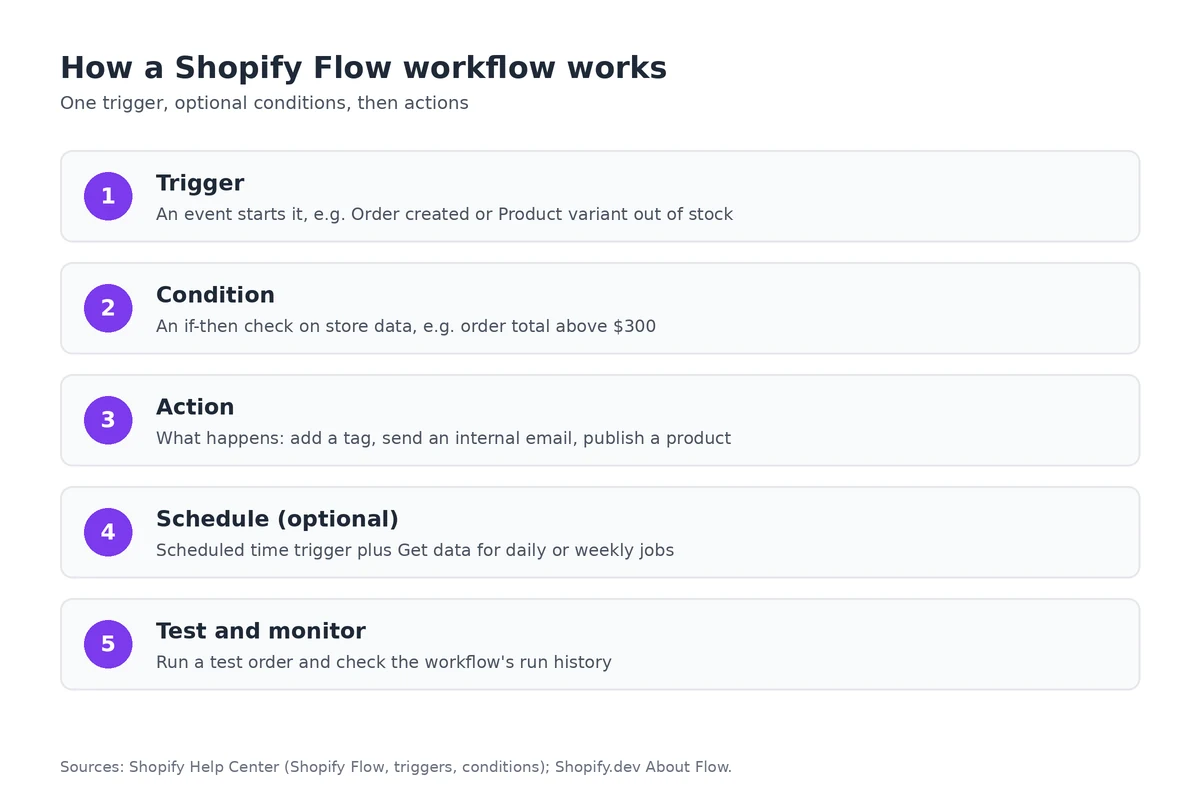
Every workflow has one trigger, the event that starts it (Shopify). There are dozens, from Order created and Order paid to Product variant out of stock and Customer abandons checkout (full list).
Conditions are if-then checks on store data, such as "order total is greater than 300" or "customer tags contain VIP" (Shopify). Actions are what happens next, such as adding a tag or sending an internal email.
For jobs on a timetable, the Scheduled time trigger runs hourly, daily, weekly or monthly. Pair it with the Get data action, since a schedule doesn't bring any data by itself.
Five workflows to start with
- Low-stock alert: Product variant inventory quantity changed → quantity below 5 → email your ops team. See our inventory guide.
- Tag VIP customers: Order created → customer's total spent above your threshold → add a VIP tag you can use in email segments.
- Hold risky orders: Order risk analyzed → high risk → tag the order and email you before fulfilment. See our fraud guide.
- Tag new products: Product created → add tags or publish to channels so new items appear in the right collections.
- Daily sales summary: Scheduled time + Get data → email yesterday's orders each morning.
Start from a template in the app (Create workflow > Browse templates) and edit it rather than building from scratch.
Tips before you switch it on
- Test with a draft or test order and check the workflow's run history.
- Name workflows clearly, e.g. "Ops – low stock below 5".
- Keep customer data inside internal emails to staff who need it, in line with your PDPA obligations (see our PDPA guide).
- Workflows also help keep product listings tidy; see our product photography guide for the images themselves.
Frequently asked questions
Is Shopify Flow free?
Yes. Shopify says Flow is a free app on the Basic, Grow, Advanced and Plus plans. Some features, such as the Send HTTP Request action, need Grow or above.
How does a Flow workflow work?
Each workflow has one trigger (an event such as Order created), optional conditions that check store data, and actions that run when the conditions are met.
Can Flow run on a schedule?
Yes. The Scheduled time trigger runs hourly, daily, weekly or monthly, paired with the Get data action to fetch orders or products to work on.
Where do I find ready-made workflows?
In the Flow app, choose Create workflow and browse templates. Shopify's template library has hundreds of examples you can edit.
Want to automate the busywork? Start a Shopify trial and install the free Flow app to try templates on your own store.
References
Rules, features and fees change, so check the live page before you act on anything here.
- Shopify Flow, Shopify Help Center. Accessed 26 October 2026.
- About Flow, Shopify.dev. Accessed 26 October 2026.
- Understanding triggers in Shopify Flow, Shopify Help Center. Accessed 26 October 2026.
- Triggers in Shopify Flow, Shopify Help Center. Accessed 26 October 2026.
- Conditions in Shopify Flow, Shopify Help Center. Accessed 26 October 2026.