· Giraffe
Pricing for profit on a Singapore Shopify store

Plenty of Singapore stores sell well and still earn little, because the price was set by looking at competitors instead of costs. This guide shows how to work out what each order really costs, how GST affects the price you display, and how to use Shopify's cost and profit tools to check your margins.
This is general information, not tax or accounting advice.
Start with landed cost
Your real cost per unit is more than the supplier price. Add up:
- the supplier price, plus inbound freight, import GST and duties if you bring stock in;
- packaging and labels;
- delivery you pay for, including free-shipping orders (see our shipping guide);
- payment fees on each order;
- a share of returns, discounts and ad spend.
Payment fees eat into every sale
Shopify's Singapore payments page lists card rates from 3.2% + S$0.50 online on the Basic plan, with lower rates on higher plans. Airwallex's guide gives the same Basic rate. The fixed 50 cents matters most on cheap items: on a $10 sale, fees are about $0.82, over 8% of the price. Our payouts guide covers how fees show up in your deposits.
GST and the price you display
If you're GST-registered, IRAS requires the price you display and quote to the public, including on your website, to include GST (IRAS; GST Regulations, reg 77). "$100 + GST" is not allowed; "$109" or "$109 w/GST" is. Breaking the rule can mean a fine of up to $5,000 (IRAS).
For margins, remember the GST inside the price isn't yours. At 9%, the GST in a $109 price is 9/109 of it, about $9. Work out your margin on the price before GST. Our GST guide covers the Shopify tax settings.
Margin vs markup
Shopify's profit reports use gross margin = (net sales − cost) ÷ net sales × 100. So an item that costs $30 and sells for $50 (before GST) has a 40% margin. Markup measures the same $20 against the cost, giving 67%. Mixing them up is a common way to underprice.
Shopify's cost and profit tools
- Cost per item: in each product's Price section, add what the item costs you; with variants, edit each one (Shopify, product prices).
- Profit reports: in Analytics > Reports, filter by Profit Margin for gross profit by product, by variant and more.
- Finance summary: its gross profit card splits net sales with and without a recorded cost (Shopify).
Profit is only reported for sales where a cost was recorded at the time of sale, so add costs before you need the numbers. Discounts and refunds lower the reported margin, which is a good reason to check it after a sale (see our discounts guide).
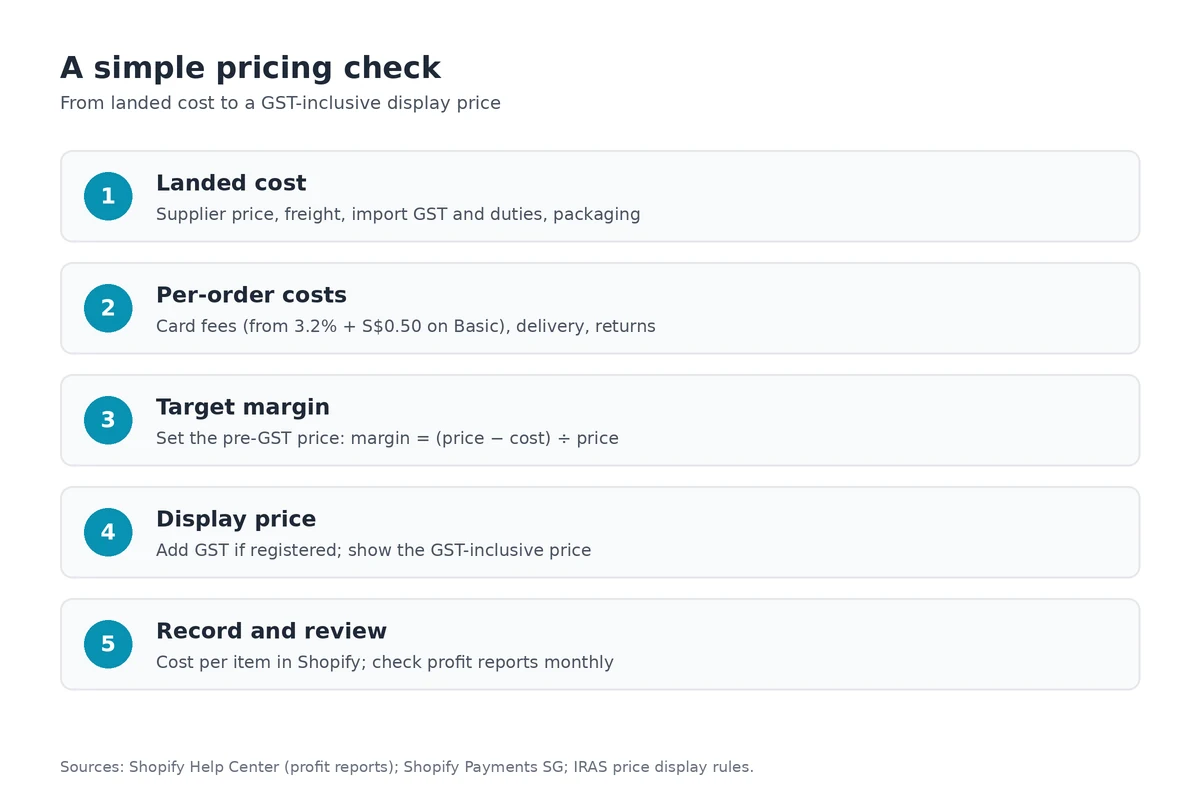
A simple pricing check
- Work out landed cost per unit.
- Add payment fees and your average delivery and returns cost.
- Choose a target margin and set the pre-GST price.
- Add GST if you're registered and round to a sensible display price.
- Record the cost per item and review profit reports monthly.
That monthly review fits neatly into a bookkeeping routine; see our bookkeeping guide.
Frequently asked questions
Do I have to show prices including GST?
Only if you are GST-registered. IRAS requires GST-registered businesses to display and quote GST-inclusive prices, including on websites, and the fine for not doing so can be up to $5,000.
How do I track profit per product in Shopify?
Add a cost per item to each product or variant. Shopify's profit reports then show net sales, cost, gross profit and gross margin, but only for sales where a cost was recorded at the time.
What does Shopify Payments charge in Singapore?
Shopify's Singapore payments page lists card rates from 3.2% + S$0.50 online on the Basic plan, with lower rates on higher plans. Check the live page, because rates change.
Is margin the same as markup?
No. Margin is profit divided by the selling price; markup is profit divided by cost. A $30 item sold for $50 has a 40% margin but a 67% markup.
Want to see your margins in one place? Start a Shopify trial, add a cost per item to a few products and check the profit reports.
References
Rules, features and fees change, so check the live page before you act on anything here.
- Profit reports, Shopify Help Center. Accessed 27 October 2026.
- Finance reports, Shopify Help Center. Accessed 27 October 2026.
- Product prices, Shopify Help Center. Accessed 27 October 2026.
- Shopify Payments (Singapore), Shopify. Accessed 27 October 2026.
- Shopify Payments in Singapore: fees, payouts and alternatives, Airwallex. Accessed 27 October 2026.
- Displaying and quoting prices, IRAS. Accessed 27 October 2026.
- Responsibilities of GST-registered businesses, IRAS. Accessed 27 October 2026.
- Goods and Services Tax (General) Regulations, regulation 77, Singapore Statutes Online (AGC). Accessed 27 October 2026.